Multi-format preview
Open HDF5 / HDF5 Master / TIFF directly: structure tree and object attributes (path, shape, dtype) on the left, Low/High/Gamma and ROI zoom on the right.
Desktop tool for experimental data (DaisyDataToolkit): preview HDF5 / HDF5 Master / TIFF files, convert between HDF5 and TIFF, export HDF5 to NPY or TXT, and crop ROIs with configurable bit depth. Several HDF5 files can be collected into one Master through external links; available from the TORCH container desktop.
DaisyDataToolkit is a desktop tool for the everyday chores around data formats and structures: look at what a file contains, convert image stacks between formats, collect data scattered across many HDF5 files into one Master, export 1-D curves as tables, write NumPy arrays as images, and crop regions in batch.
| Tab | Purpose |
|---|---|
| View | Read-only HDF5 tree and TIFF preview with Low/High/Gamma and ROI zoom |
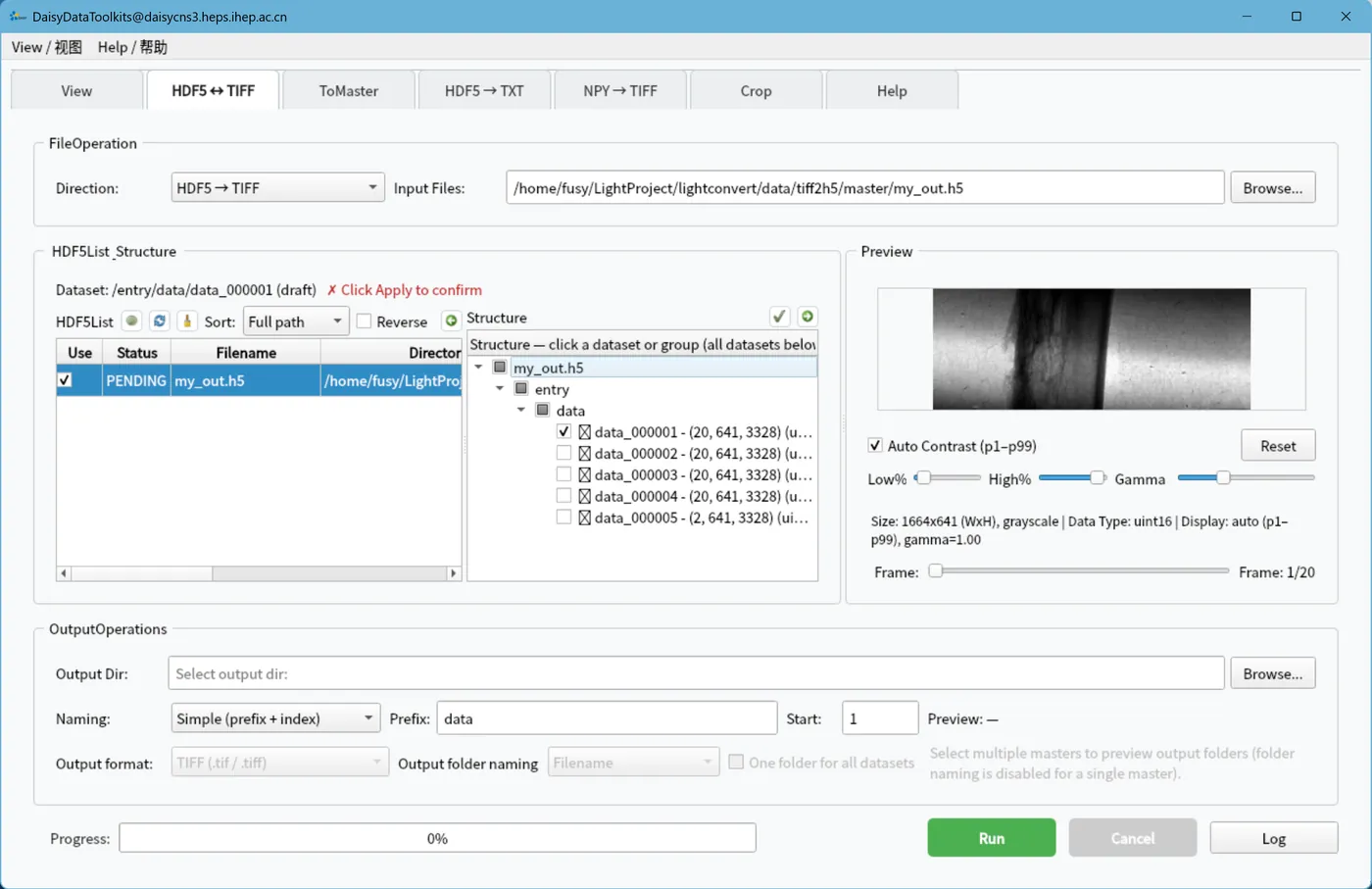
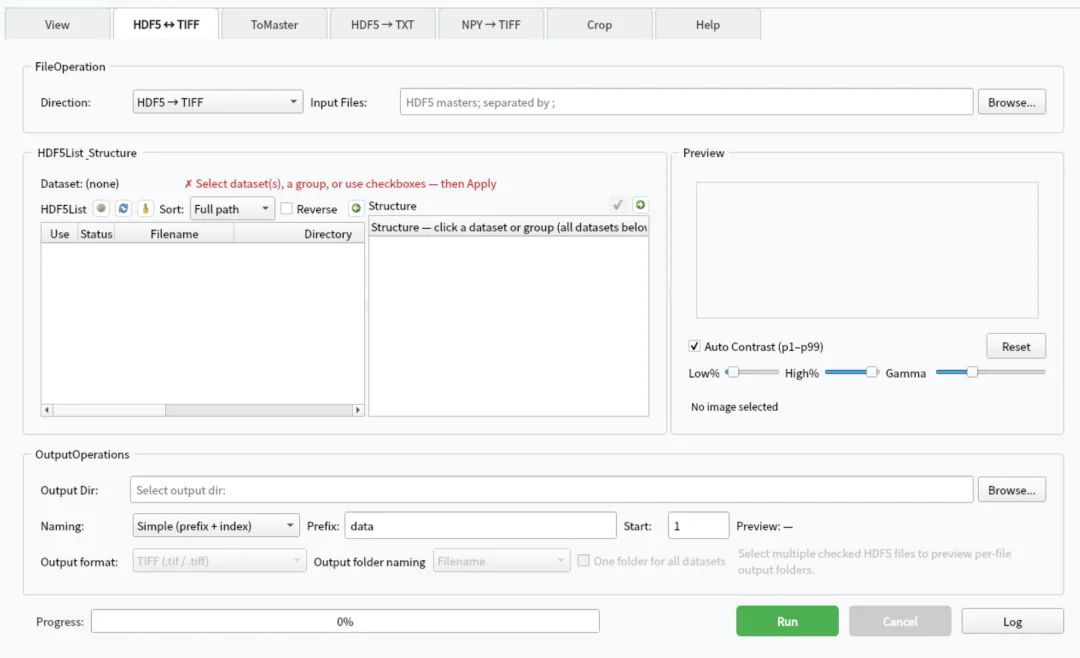
| HDF5 ↔ TIFF | Two-way stack conversion with multi-Master validation, templated naming and sub-folder output |
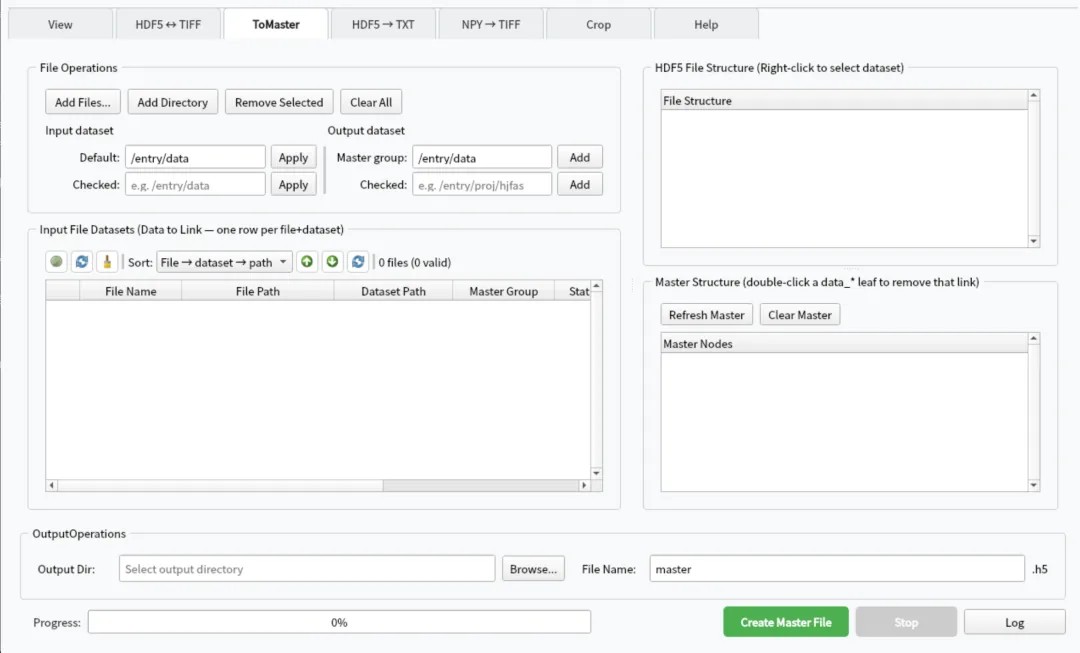
| ToMaster | Collect datasets from many HDF5 files into one Master via external links |
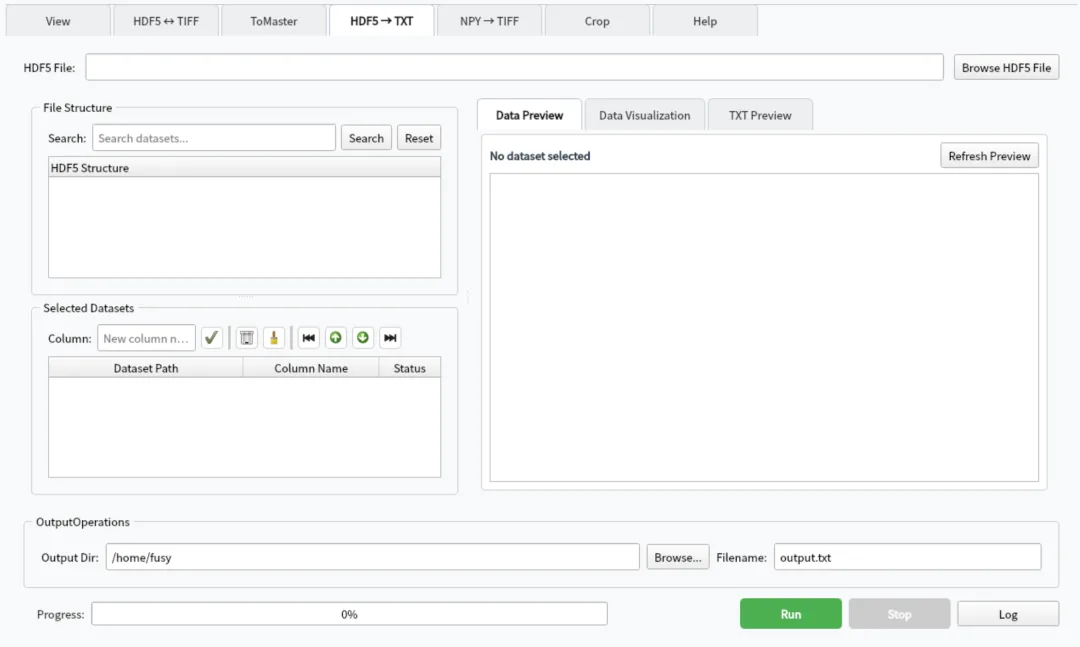
| HDF5 → TXT | Export scalars / 1-D datasets as tab-separated tables readable in Excel |
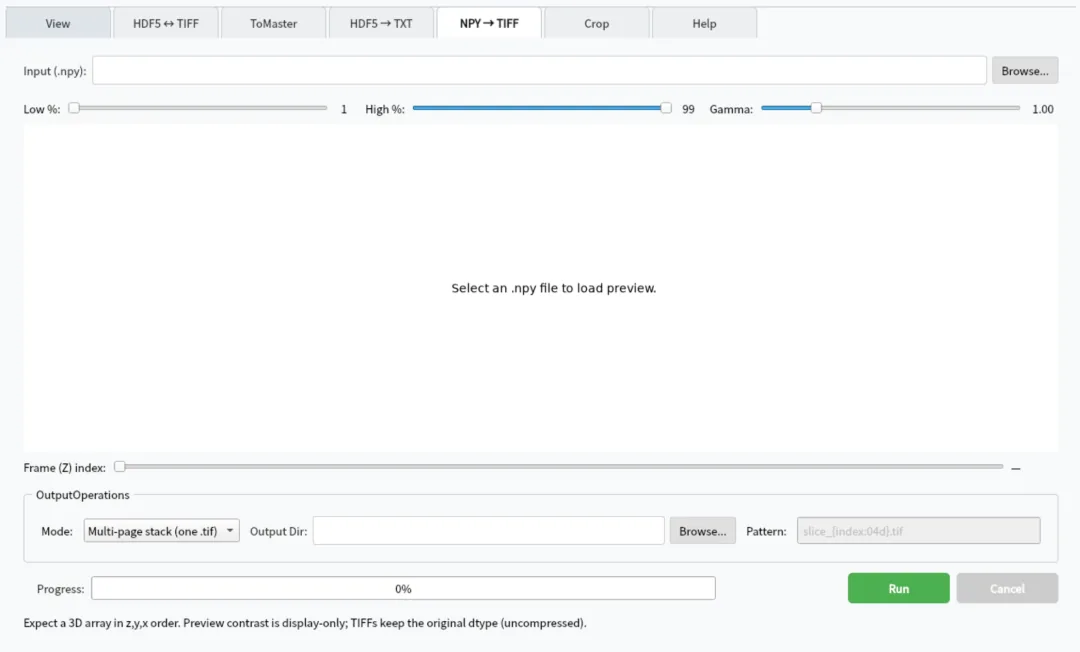
| NPY → TIFF | Write 3-D .npy (axis order z, y, x) as multi-page TIFF or per-slice files |
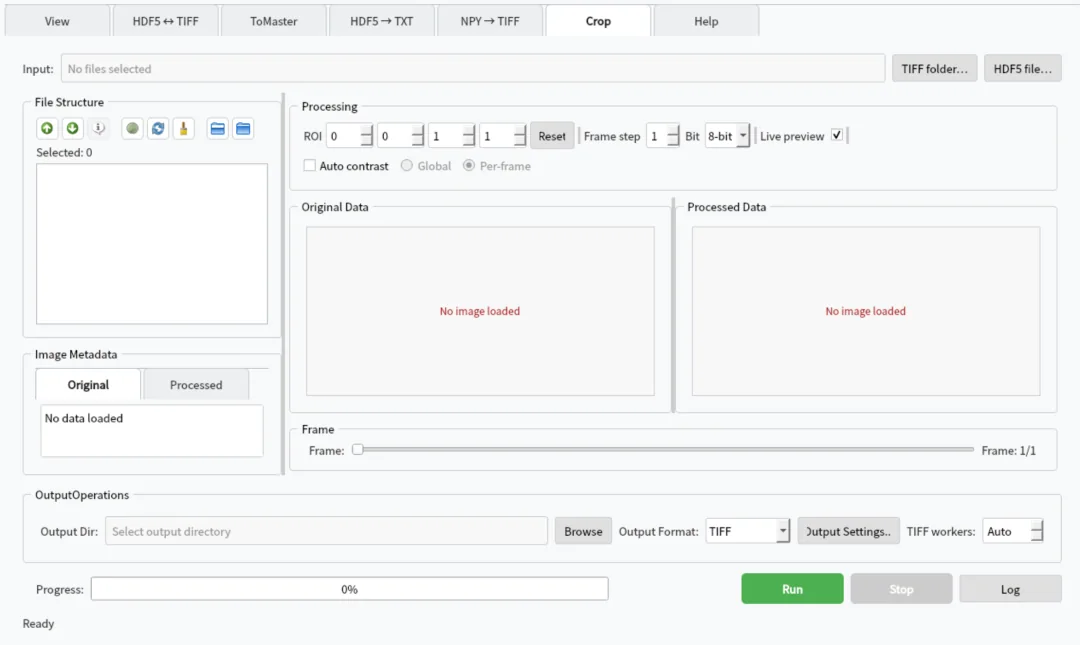
| Crop | ROI cropping, 8/16-bit conversion, automatic contrast and batch export |
| Help | Chinese/English tutorials and troubleshooting |
DaisyDataToolkit; a Windows build is under internal testing.Apply, otherwise the run reports that nothing is selected. Multiple Masters are validated for path existence and matching dimensions.Simple uses a prefix plus a sequence number (data_00001.tif); Template accepts {ds:/path} and {index:05d} and stops with an error when a path cannot be read.Not installed and download the module on demand.
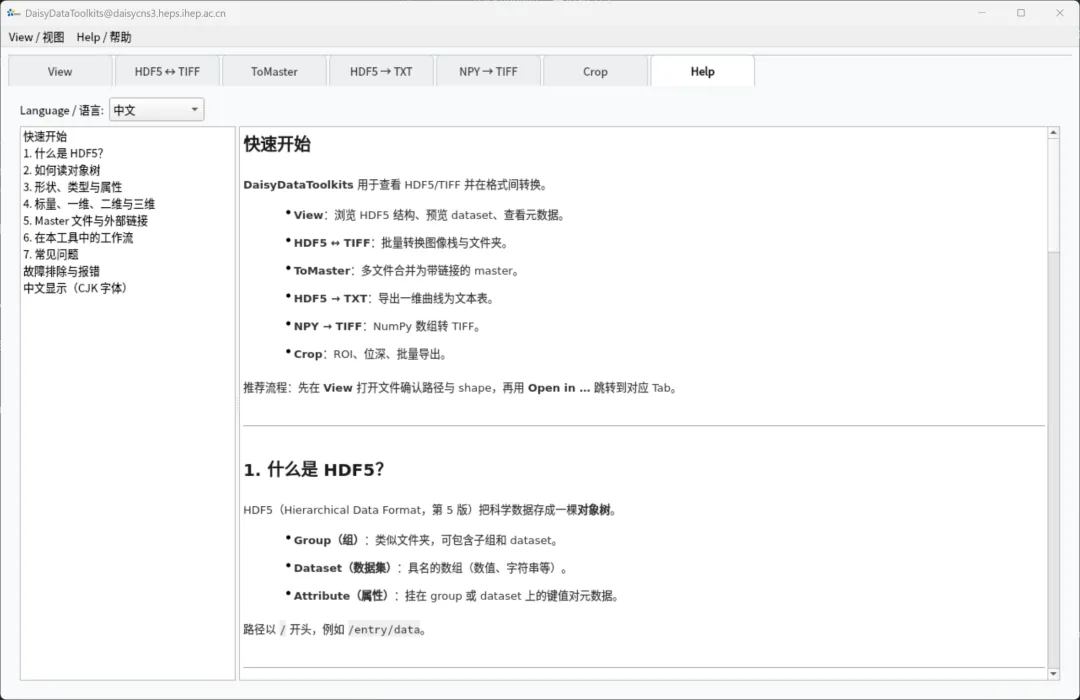
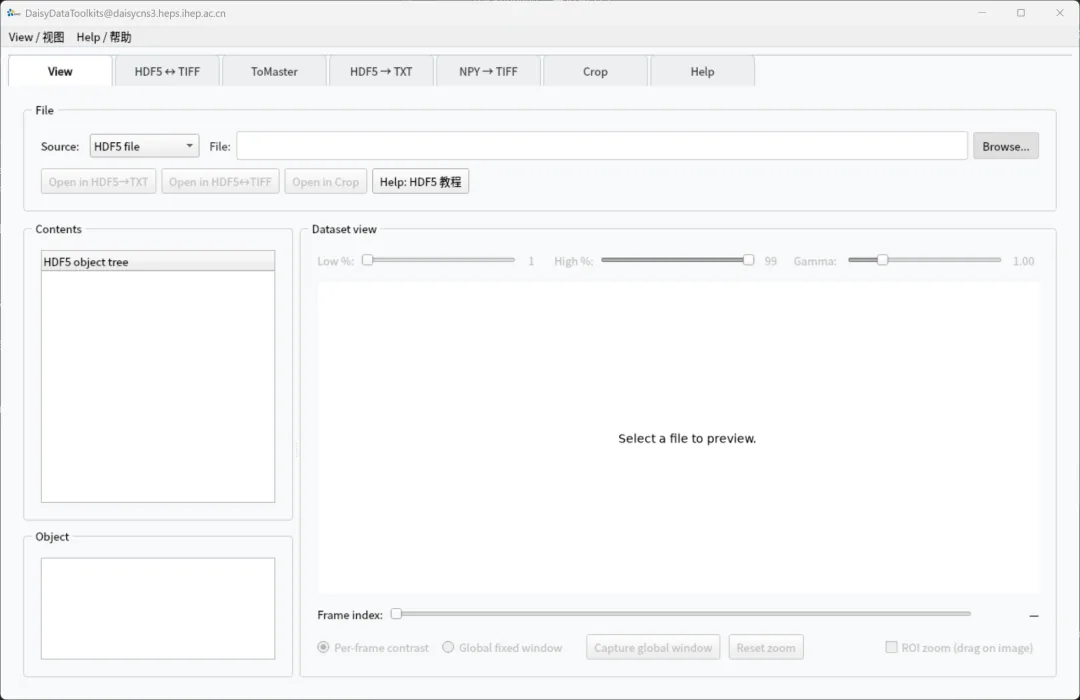
Open HDF5 / HDF5 Master / TIFF directly: structure tree and object attributes (path, shape, dtype) on the left, Low/High/Gamma and ROI zoom on the right.
Convert image stacks in both directions; multiple Masters are validated for matching dataset paths and dimensions, with templated naming ({ds:/path}, {index:05d}) and sub-folder output.
ToMaster attaches datasets from many HDF5 files to a single Master through external links (e.g. /entry/data/data_000000…), convenient for an overview or further conversion.
Export scalars or 1-D datasets as tab-separated TXT files readable in Excel; linked Masters are resolved back to their source files.
Write 3-D NumPy arrays (axis order z, y, x) as multi-page TIFF or one file per z slice, with patterns such as slice_{index:04d}.tif.
Set ROI, frame step and 8/16-bit output with automatic contrast, comparing original and processed images side by side.
| Version | Platform | File size | Published | Downloads | |
|---|---|---|---|---|---|
| 1.0.0 DaisyDataToolkit-win64.zip | Windows · x64 | 605 MB | 19/10/2026 | 2 | |
| 1.0.0 DaisyDataToolkit-linux64-20261013-1129.zip | Linux · x64 | 360 MB | 13/10/2026 | 0 |
Download links are time-limited and support resume; verify the SHA-256 checksum.
Contact the maintainers above for usage, adaptation or customisation.