Synchrotron Data Analysis Software Platform
Software
All softwareBrowse the full catalogueImagingCT, Ptycho, BCDI, HoloDiffraction & scatteringPDF, SAXS, BMX, XPCSSpectroscopyXAS, XRF, XRS, PCA/LCFData toolsConversion, cropping and formatsArtificial intelligenceSparse-view CT, training and inference
Download
Download centreAll software packagesDownload & installLicence, checksums and setup
Documentation
DocumentationAll documentationSoftware manualsUser guidesAPI guidePublic and maintainer APIsDownload & installChecksums and setupDAISY user docs ↗Framework and algorithms
NewsTeamAbout DAISYTORCH platform ↗
中文
DAISY Data Processing Software

Official site of HEPS DAISY data processing software: introductions, online access and downloads.

Navigation
  • Software
  • Download
  • Documentation
  • News
  • Team
  • About DAISY
  • Admin
Links
  • TORCH platform ↗
Institute of High Energy Physics, CAS · HEPS Big Data Centre
← Back to software
Artificial Intelligence

HEPSCT_dl

Deep-learning application for sparse-view CT reconstruction artifact correction, covering dataset inspection, model training, batch inference, quantitative evaluation and model plugins, with automatic tiling and stitching for 4096×4096 and 6144×6144 TIFF data.
BeamlinesID19ID21ID30
Open in TORCH ↗
HEPSCT_dl screenshot

About this software

HEPSCT_dl is a deep-learning platform for sparse-view CT reconstruction artifact correction. It maps sparse-view reconstruction TIFF images to high-quality results and brings data inspection, training, inference, evaluation and model extension into one interface with run logs, progress, loss curves and result previews.

Workflow

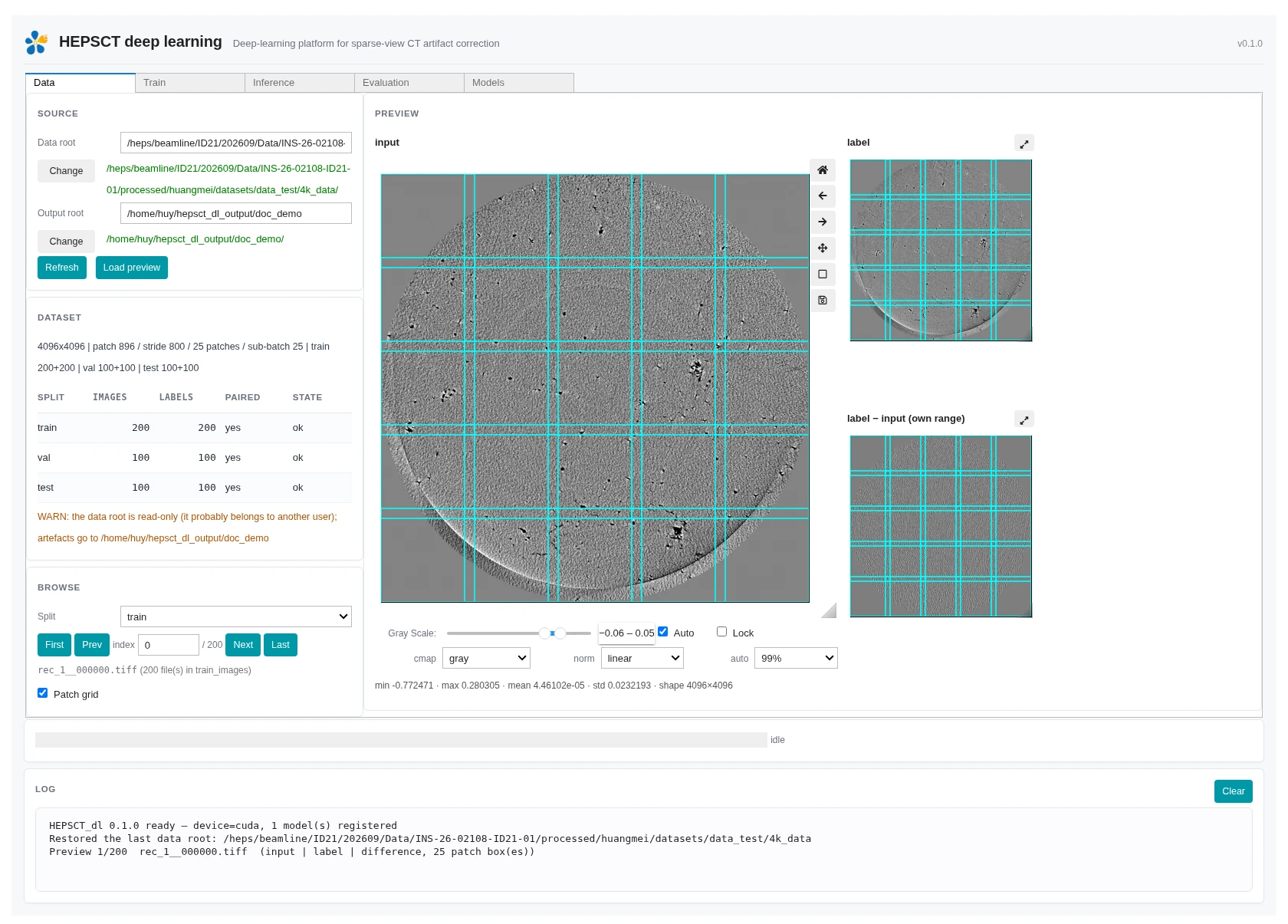
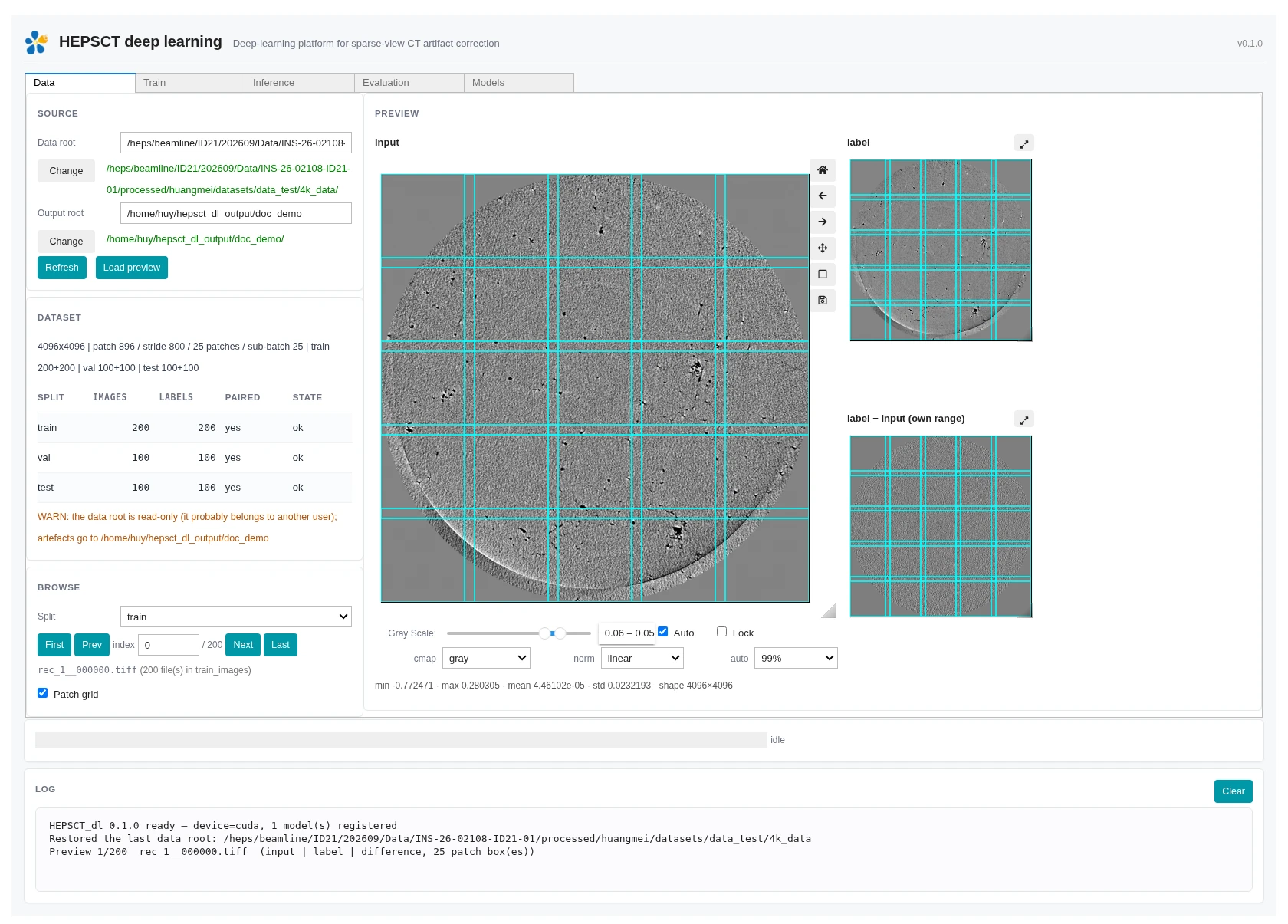
  • Data: select the data root once; discover train_images / train_masks, val_images / val_masks, test_images / test_masks, pairing status, image sizes and tiling plans
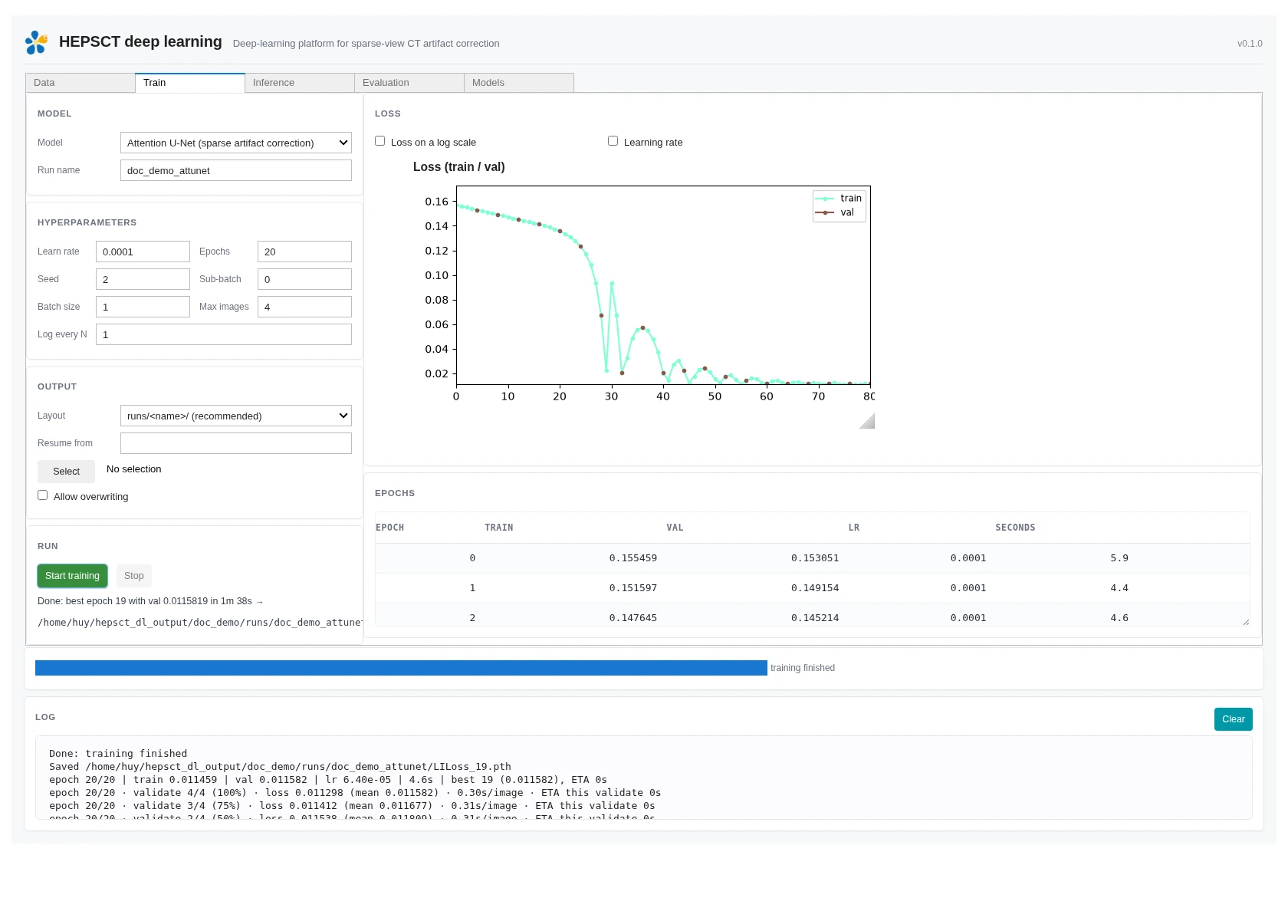
  • Train: choose a model and hyperparameters, run training in a separate process, monitor loss and per-epoch records, stop safely and resume from checkpoints
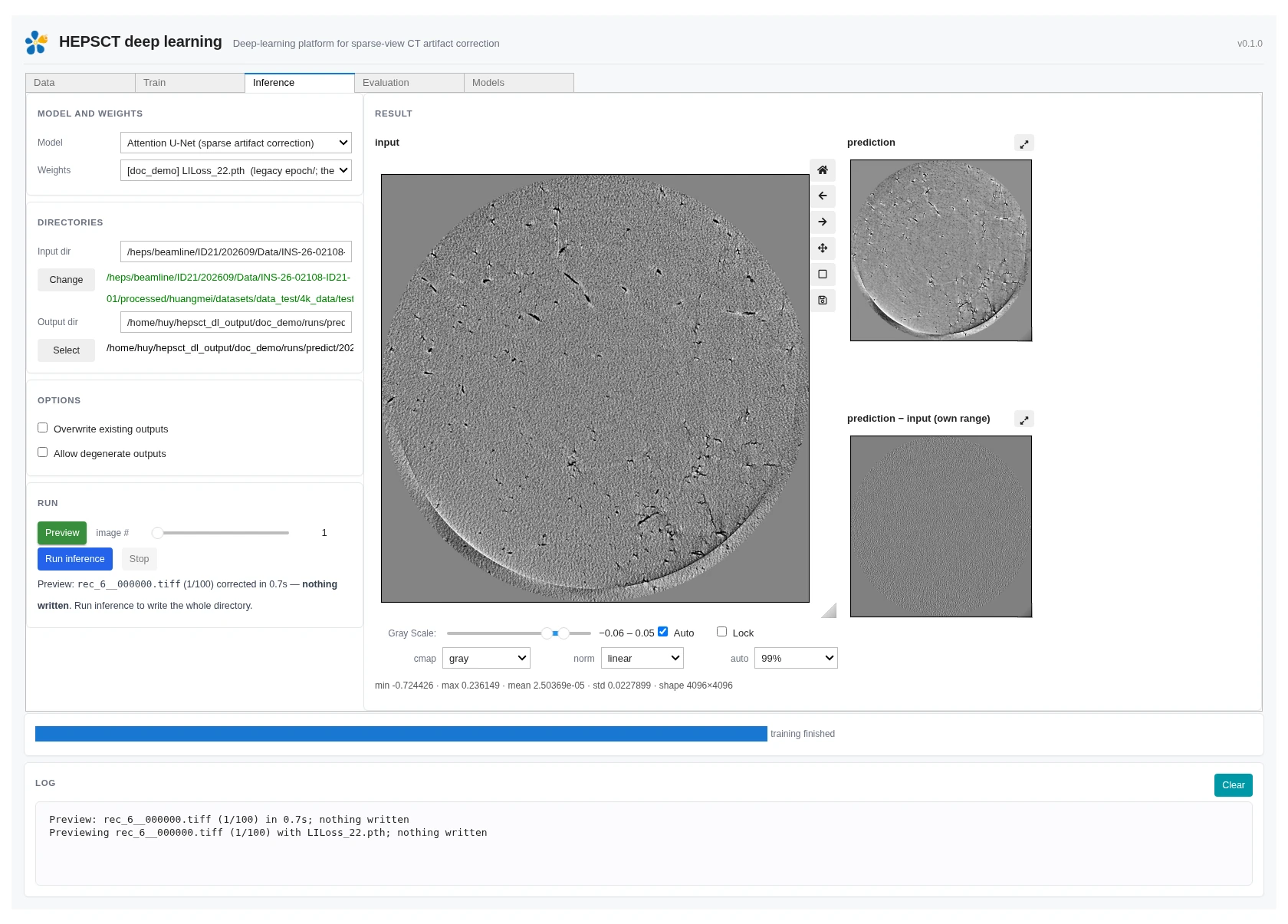
  • Inference: preview one image or process an entire directory through automatic tiling, prediction, stitching and same-name TIFF output
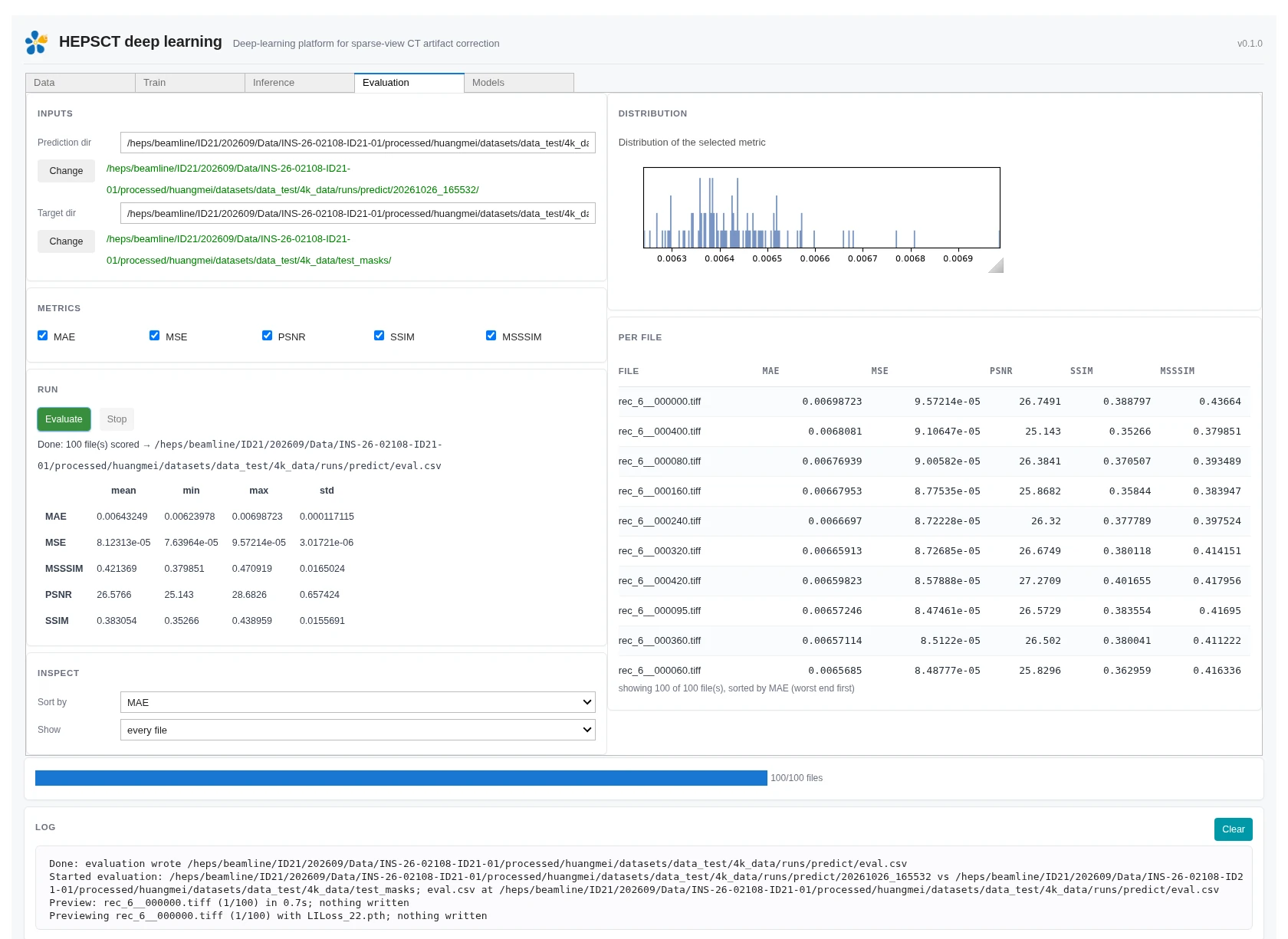
  • Evaluation: pair predictions and targets by filename and compute MAE, MSE, PSNR, SSIM and MSSSIM with distributions and worst-file inspection
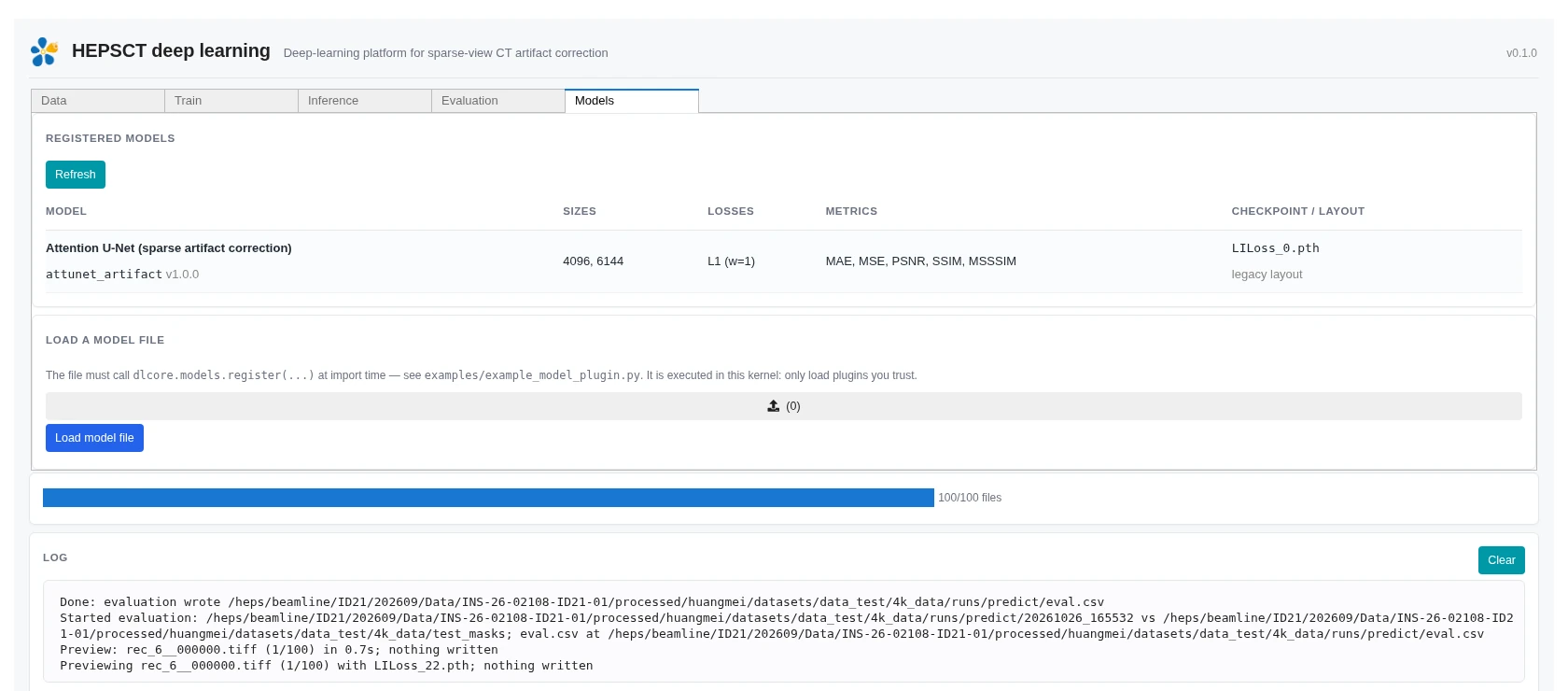
  • Models: inspect registered plugins or load another model from a trusted Python file

Data and algorithms

  • Handles square 4096×4096 and 6144×6144 TIFF datasets with predefined patch sizes, strides and overlaps
  • Includes an Attention U-Net model for sparse-view artifact correction
  • GPU memory preflight, configurable sub-batch, batch size, epochs, learning rate and random seed
  • Run outputs include configuration, epoch history, best/latest checkpoints, logs and resumable training state
  • Model, loss, evaluation metrics, tiling and checkpoint naming follow a plugin contract

Inference and evaluation

  • Single-image preview writes no files and helps verify a checkpoint before batch inference
  • Existing outputs are skipped by default, while degenerate predictions are reported as errors
  • Evaluation writes eval.csv and provides metric summaries, histograms and per-file results
  • Read-only beamline data remains untouched by falling back to a separate output directory

Software interface

Data tab: dataset discovery, split pairing, patch grid and input/label/difference previews
Train tab: model, hyperparameters, training status, loss curves and per-epoch records
Inference tab: model weights, input/output directories and single-image prediction preview
Evaluation tab: MAE, MSE, PSNR, SSIM, MSSSIM, distributions and per-file results
Models tab: registered model plugins and model-file loading

Features & algorithms

End-to-end deep-learning workflow

Data inspection, training, single-image preview, batch inference and evaluation in one interface with persistent logs and status.

Automatic 4K / 6K tiling

Detects 4096×4096 and 6144×6144 data and applies predefined patch sizes, strides and overlaps for prediction and stitching.

Safe stop and resume

Training runs in a separate process with epoch history, best checkpoints and resumable state.

Quantitative evaluation

MAE, MSE, PSNR, SSIM and MSSSIM summaries, distributions and worst-file inspection for locating anomalous results.

Model plugin extension

Models, losses, metrics, tiling and checkpoint naming are plugin-driven; trusted Python model files can be loaded at runtime.

Documentation & manual

Online user guideRead the full guide to data preparation, training, inference, evaluation, plugins and troubleshooting.→User guide PDFDownload↓

Contacts

胡
胡誉
huyu@ihep.ac.cn

Contact the maintainers above for usage, adaptation or customisation.